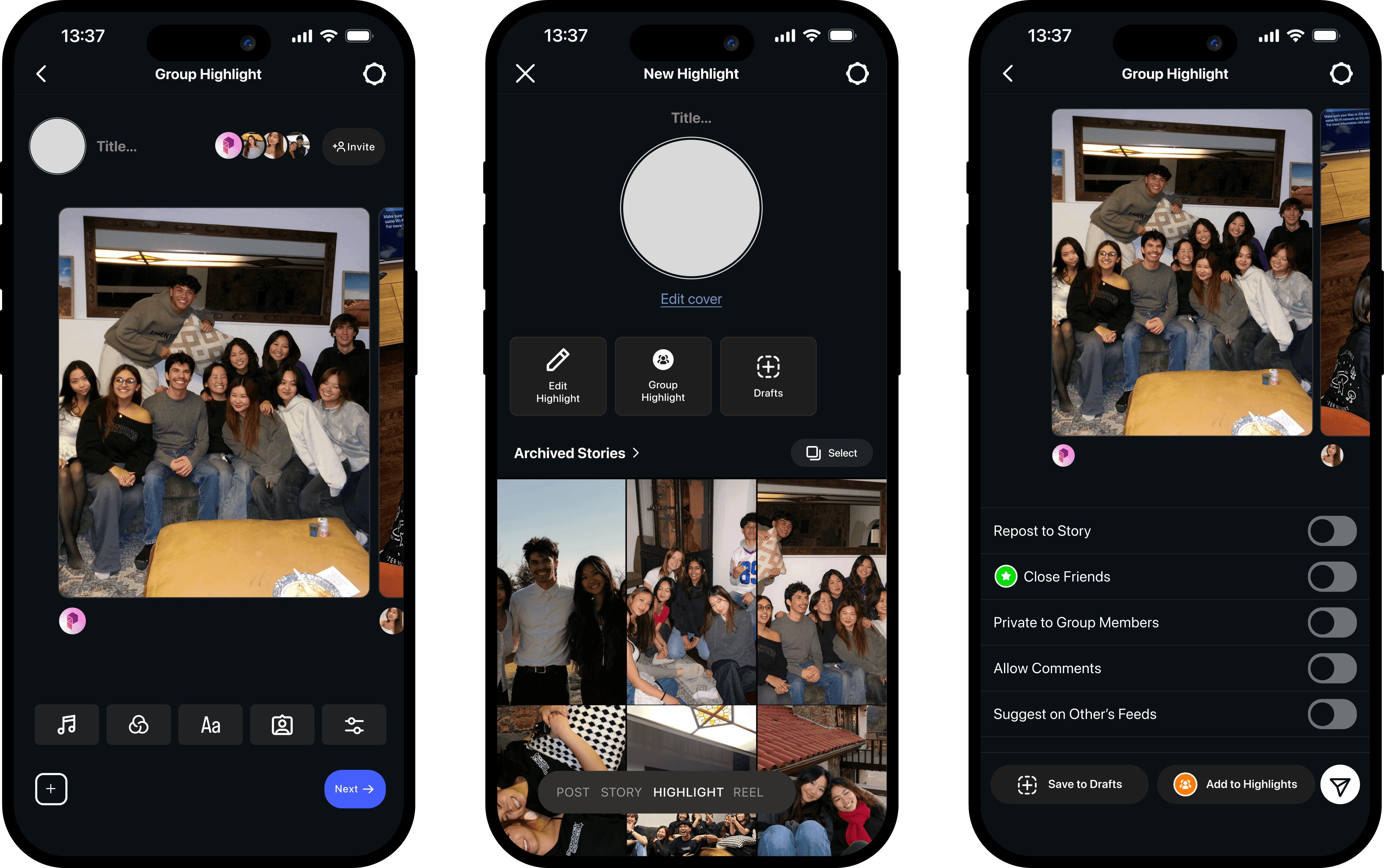
Instagram Group Highlights
Facilitating engagement and collaboration within an overlooked feature
Role
Product Designer
Timeline
Jan - Mar 2025
Organization
Product Space
Tools
Figma,
Figma Slides
CONTEXT
How do you keep 2 Billion People engaged monthly?
That's why Instagram offers so many features with different ways of engaging.
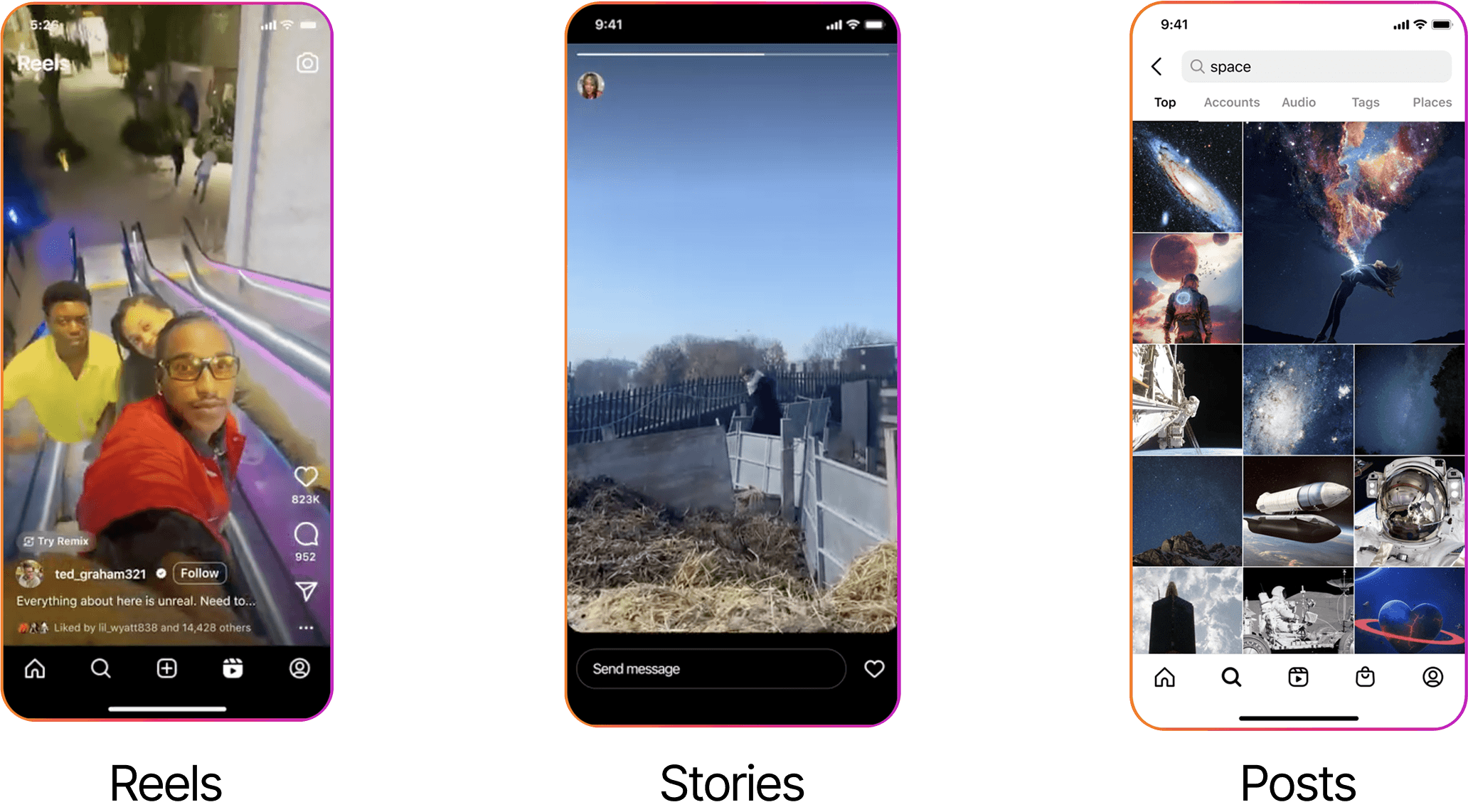
However, a feature that lacks this user engagement and interaction is Instagram Highlights.
Why is this so?
USER RESEARCH
Come for the Highlights,
Stay for the Stalking 👀
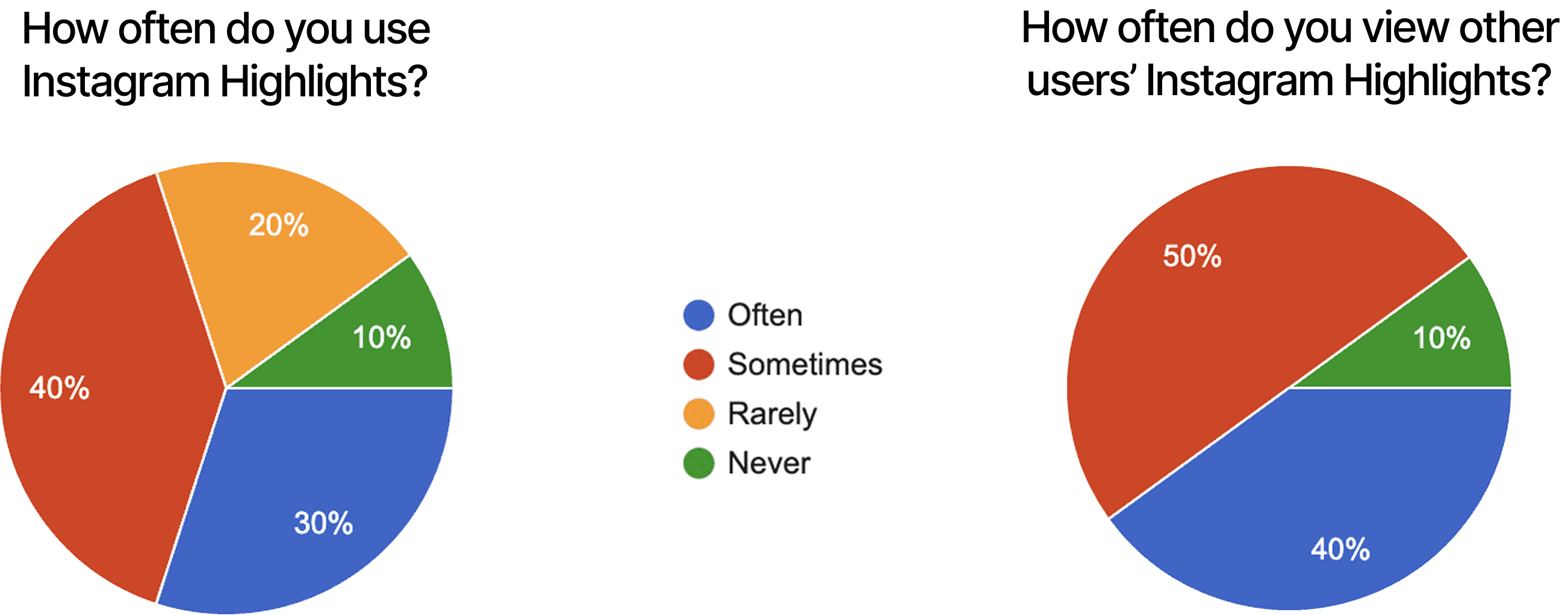
Most (70%) of users report sometimes, rarely, or never using Instagram Highlights. Interestingly enough, more people (90%) often or sometimes view other users' Highlights.
It seems as though users enjoy stalking more than making their own highlights.
USER RESEARCH
Stick to your strengths (Collaboration!)
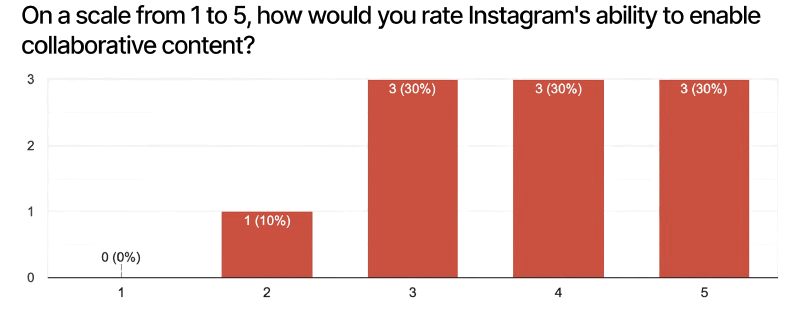
For the most part, users think highly of Instagram's ability to enable collaborative content, whether thats through reposts, tags/mentions, collaborative posts, or sharing content.
Instagram does a pretty good job at this, so maybe they could do this for Highlights.
USER RESEARCH
A Good Reason for
Peer Pressure
Users say that they would collaborate on Instagram Highlights if they had good friends to do it with, if it gave their page more visibility, and if it was easy and functional.
It's that simple!
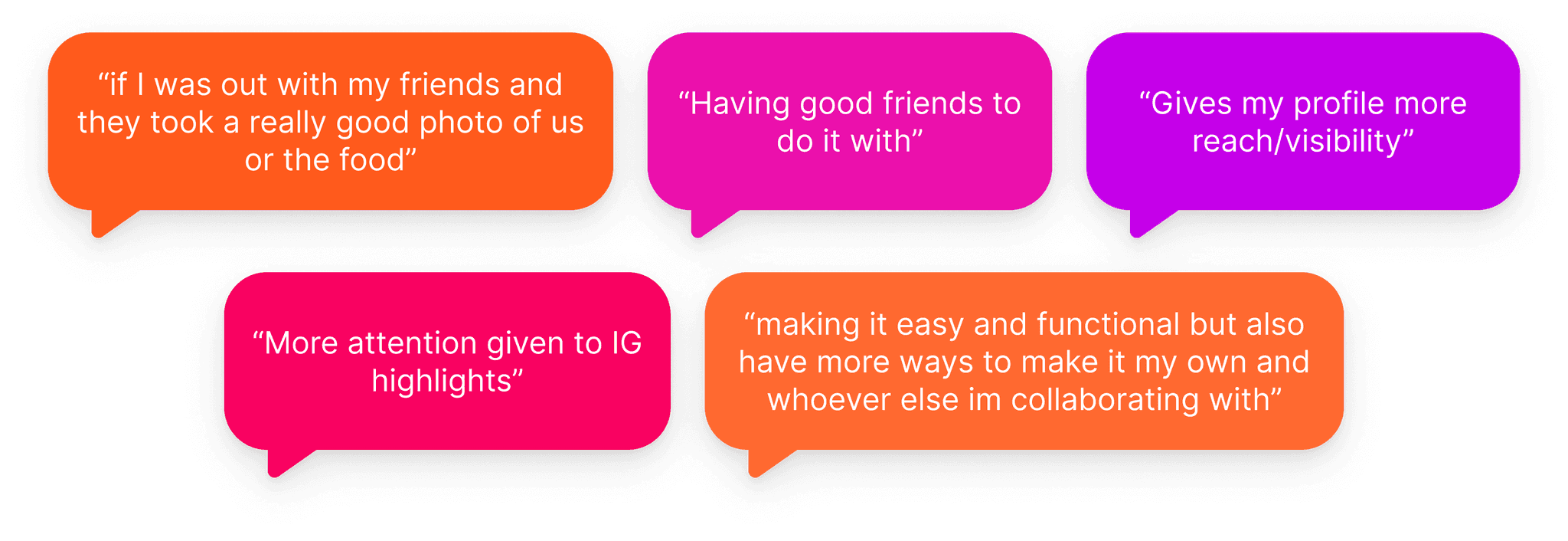
What users said about incentives to use a collaborative Highlights feature
USER RESEARCH
Affinity Mapping Magic
Through the user survey, I learned of 3 big takeaways.
People love interacting with others to see what the person is like or what they're up to.
People love making Highlights to store personal content like monthly dumps or hobbies.
BUT these same people are hesitant to make content
They're worried about annoying others' feeds
They easily forget about highlights
They feel awkward doing it alone
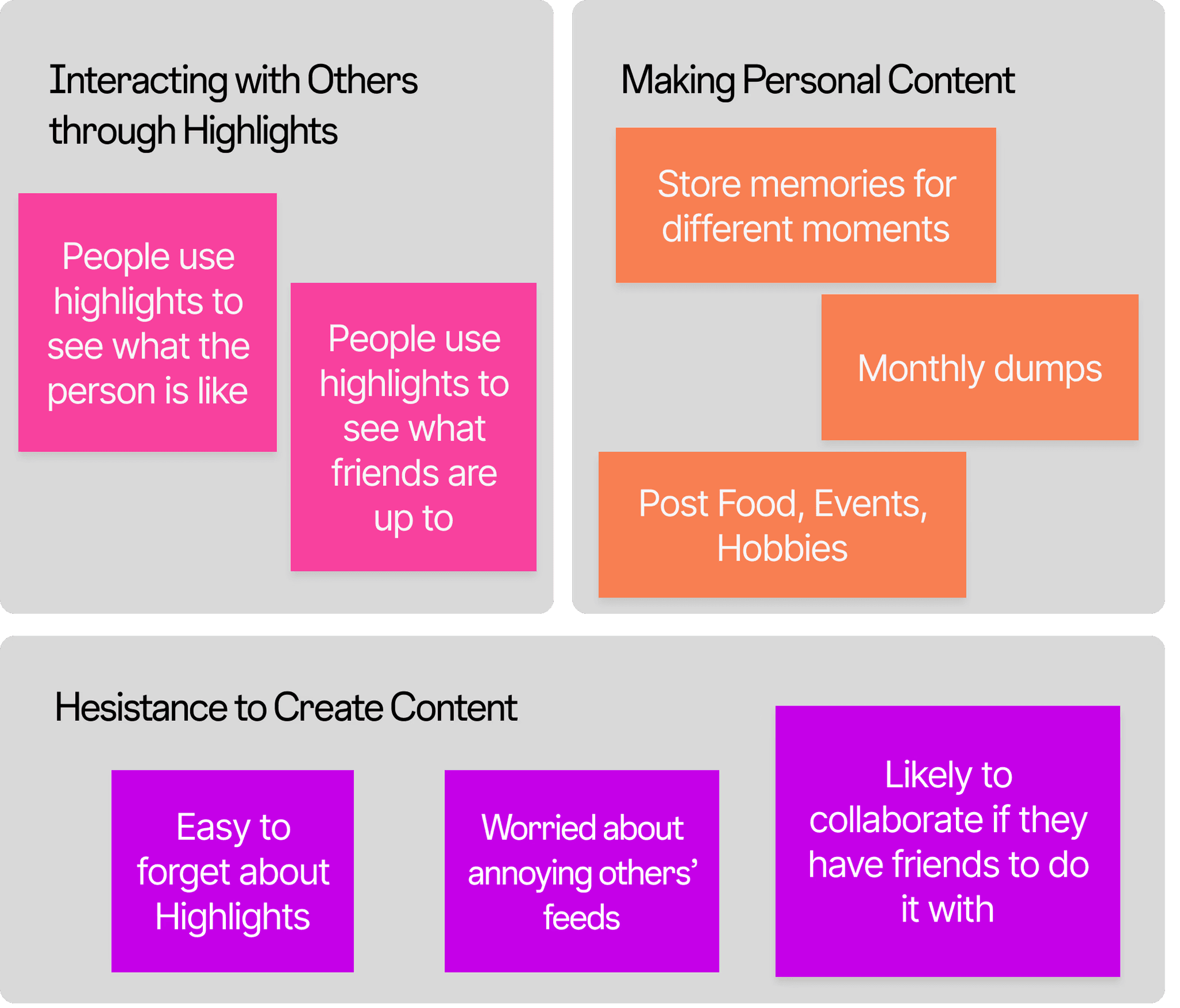
Affinity Mapping organized by the 3 Main Takeaways
PAIN POINTS
Making Room for Improvement
Based on user and secondary research, Instagram Highlights lacks the engagement that other features have because…
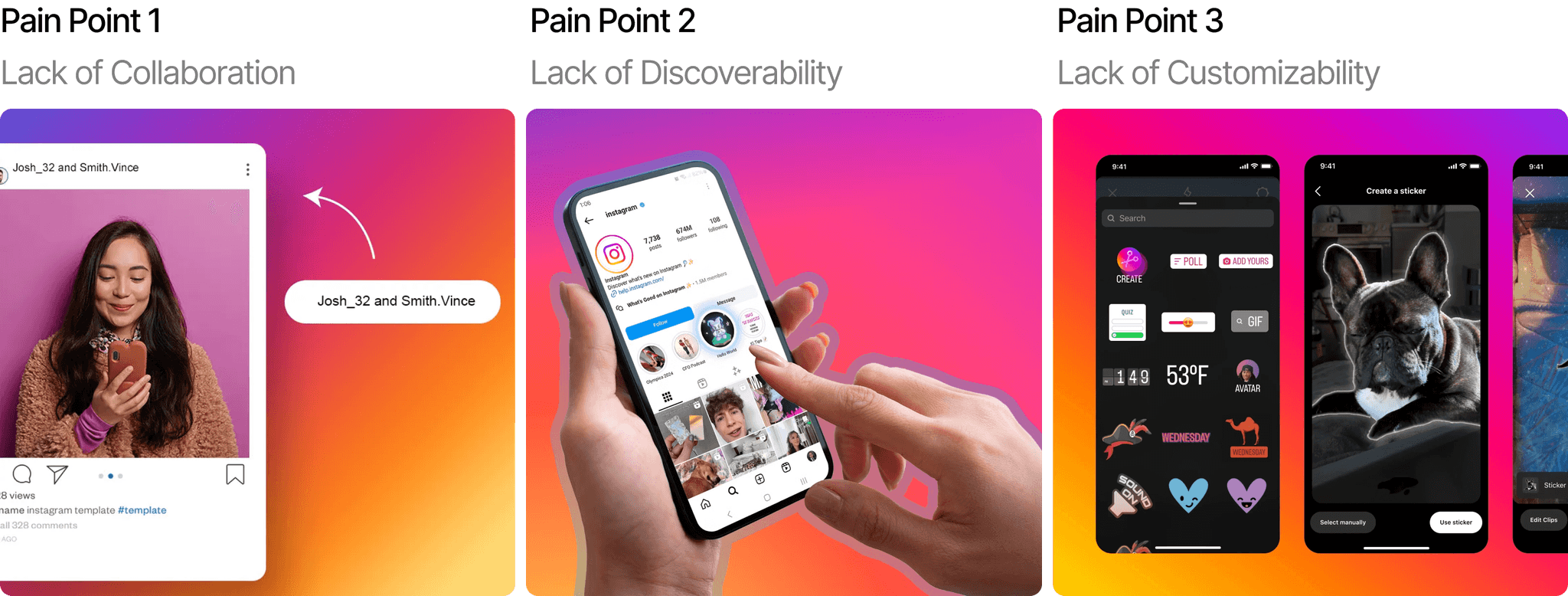
PROBLEM STATEMENT
How might we enable collaboration and facilitate engagement within Instagram Highlights?
SOLUTION IDEATION
Brainstorming with Intention
The pain points provide a clear path on how to increase engagement on Instagram Highlights. That is by answering (another) 3 guiding questions:
How can we increase discoverability?
Repost to stories
Distinguish in Profile
How can we enable collaboration?
Inviting others
Real-time editing together
Collaborative Folder
How can we increase interactions?
Votes on image
Settings
Reformatting Likes, Comments, Shares
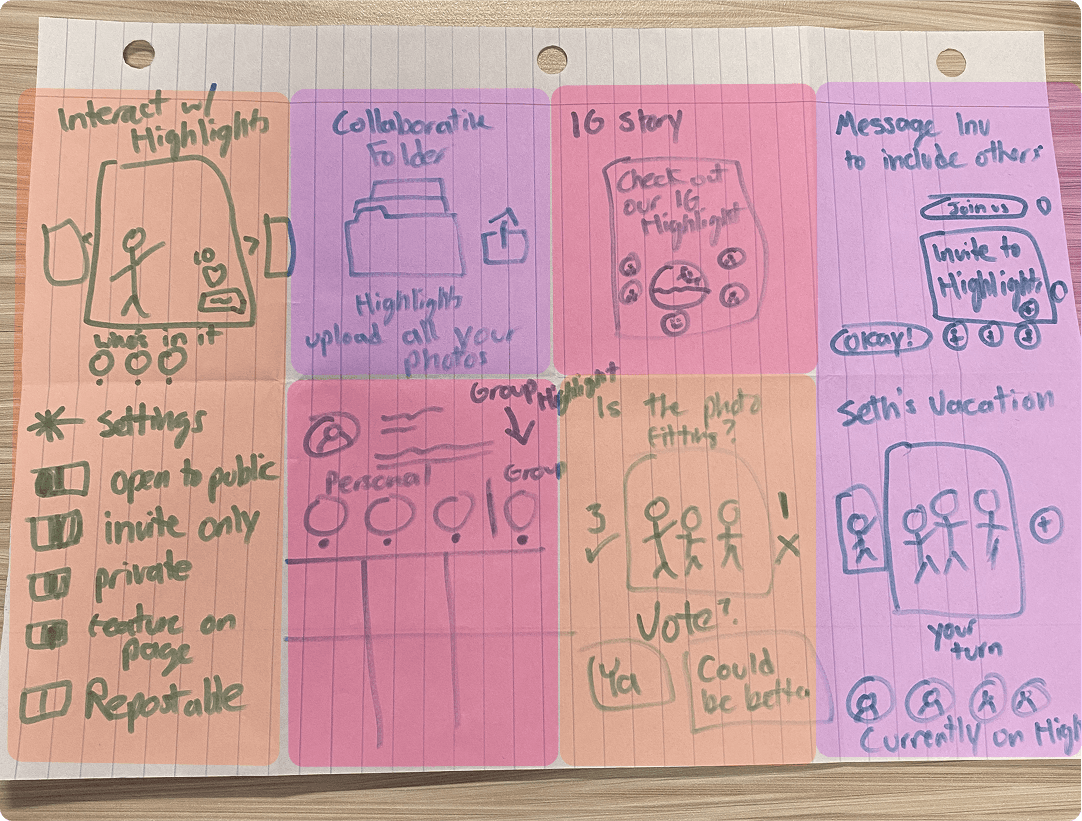
Brainstormed sketches color coded by the guiding questions
LOW-FIDELITY WIREFRAMES
What the… Collablights?
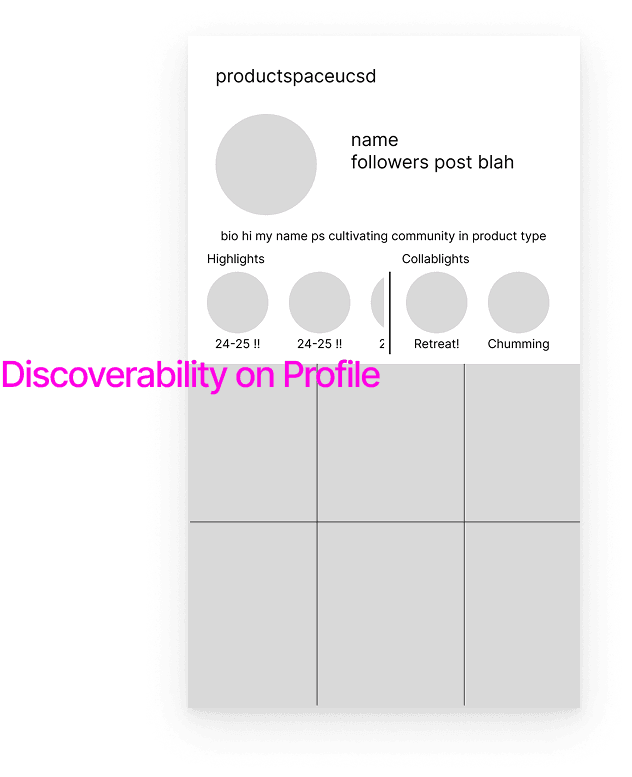
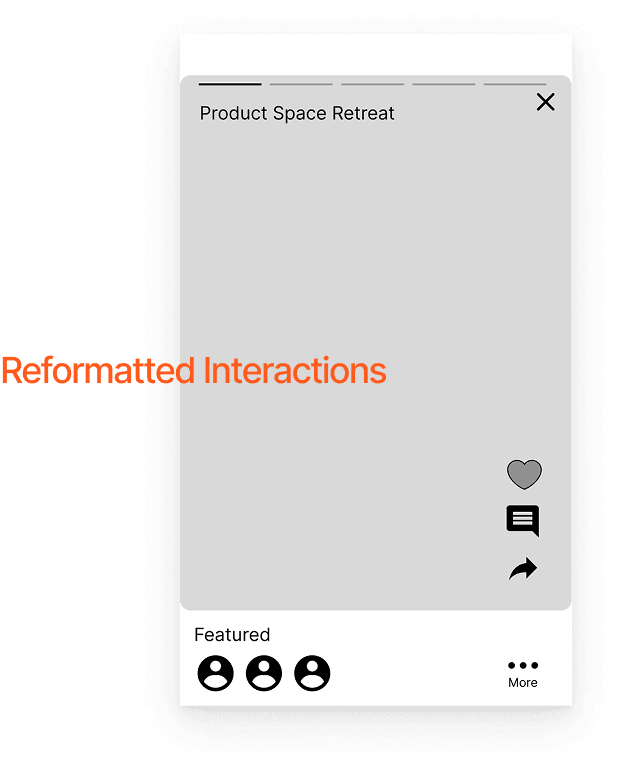
I designed wireframes on Figma to continue solving the guiding questions. I used what worked from Instagram's current UI while drawing inspiration from other apps that achieved success in collaboration and engagement. These apps being Google Docs and TikTok.
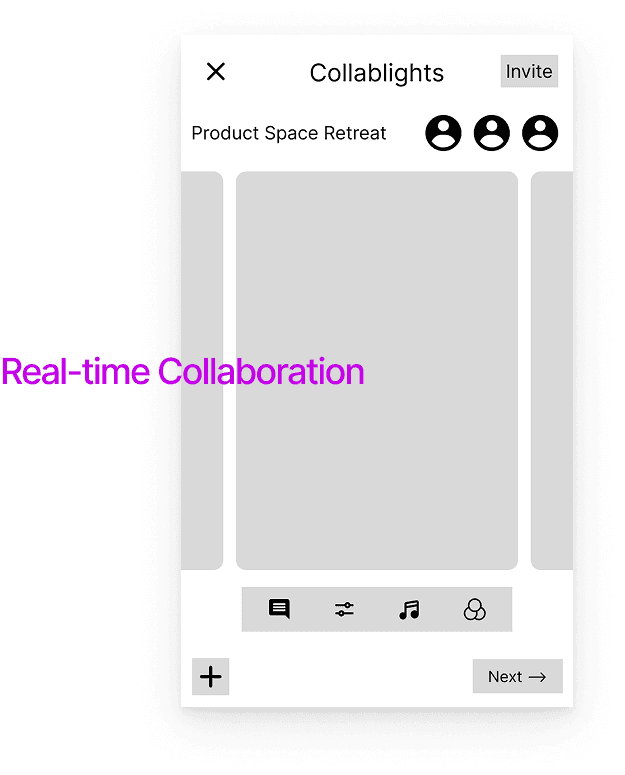
Collaborate in "Collablights" with others in real time, similar to Google Docs
Customize "Collablights" using options available to posts and stories
Discover "Collablights" on profile pages, separated from regular highlights
Increase engagement by reformatting interactions to be closer to the user's thumb, similar to TikTok
What Didn't Make the Cut
Before moving onto the high fidelity prototypes, some features from the low fidelity wireframes were scrapped.
The name "Collablights" didn't match Instagram's conventional terminology
Separating "Collablights" and Highlights left little space to for smooth swiping
The reformatted interactions interrupted how users normally swipe through Highlights
HIGH-FIDELITY PROTOTYPES
I Present…
Instagram Group Highlights
The research, wireframes, and everything has led up to this interactive, fully fleshed out prototype of Instagram Group Highlights.
Many design decisions were influenced by Instagram's current UI, just repurposed to optimize Highlights.
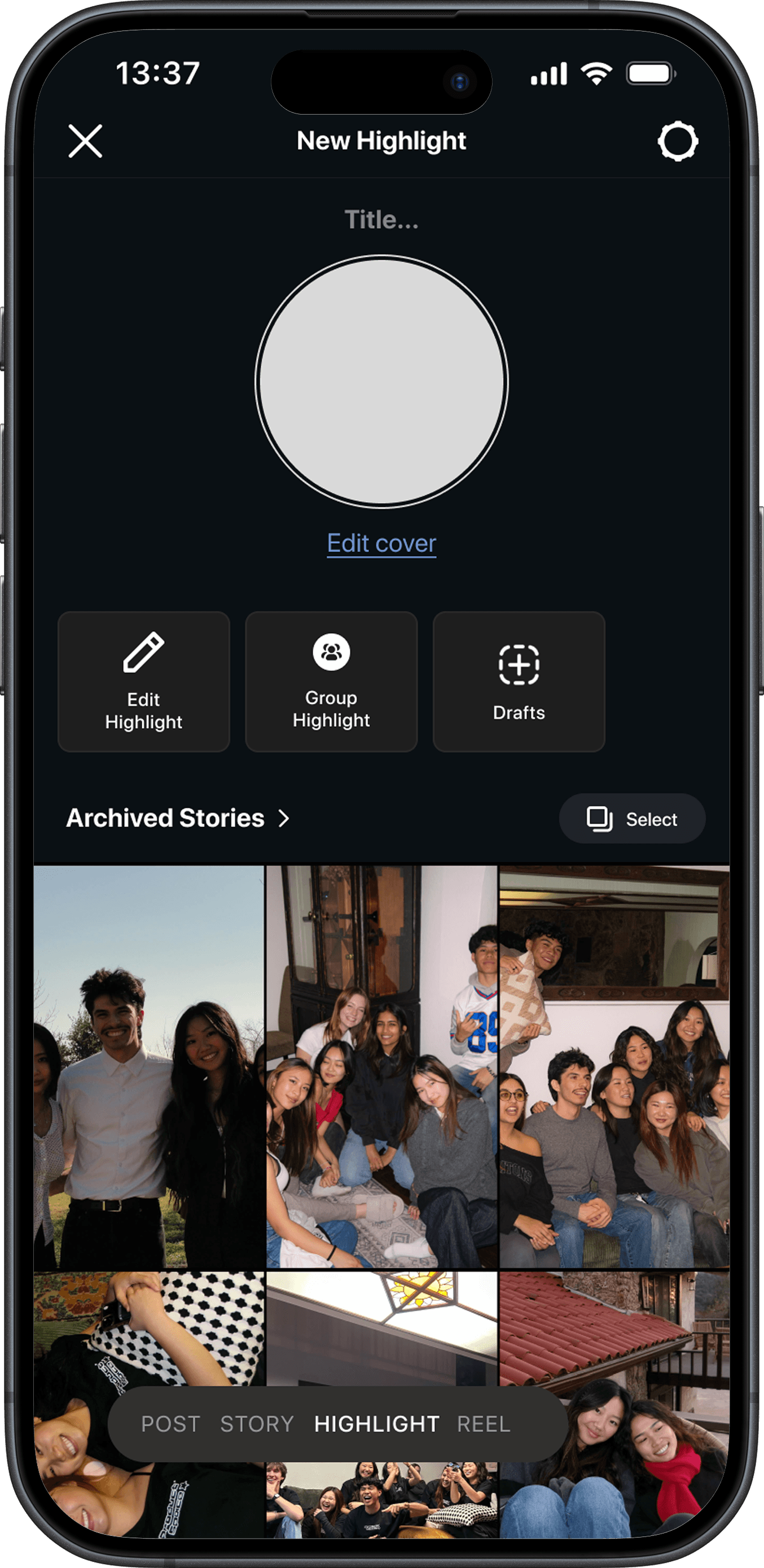
A New Home for Highlights
Before, Highlights didn't have a dedicated page or clear title. Now, Highlights can be accessed when creating a post, story, or reel by simply scrolling through the dial at the bottom.
Also, you have more flexibility and options with Highlights, being able to edit, draft, and create a Group Highlight!
Thus improving the discoverability of Highlights.
The Next Best Collaborative Tool
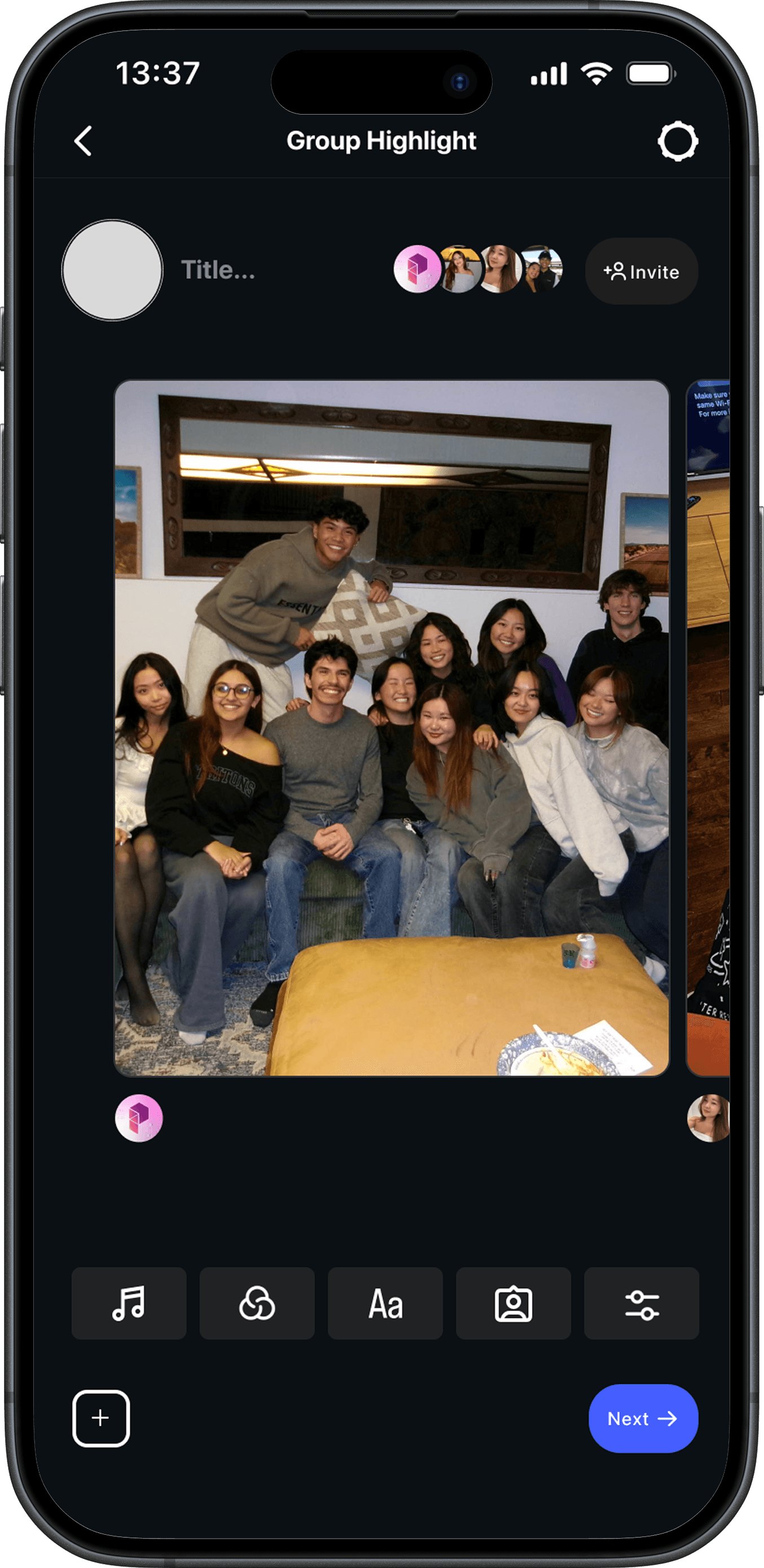
Now presenting Group Highlights, a new way to collaborate with friends and bond over shared trips, hobbies, and more.
Invite your friends and edit in real-time together!
Add and customize photos to your liking with limitless editing options.
Thus enabling collaboration and customization within Highlights.
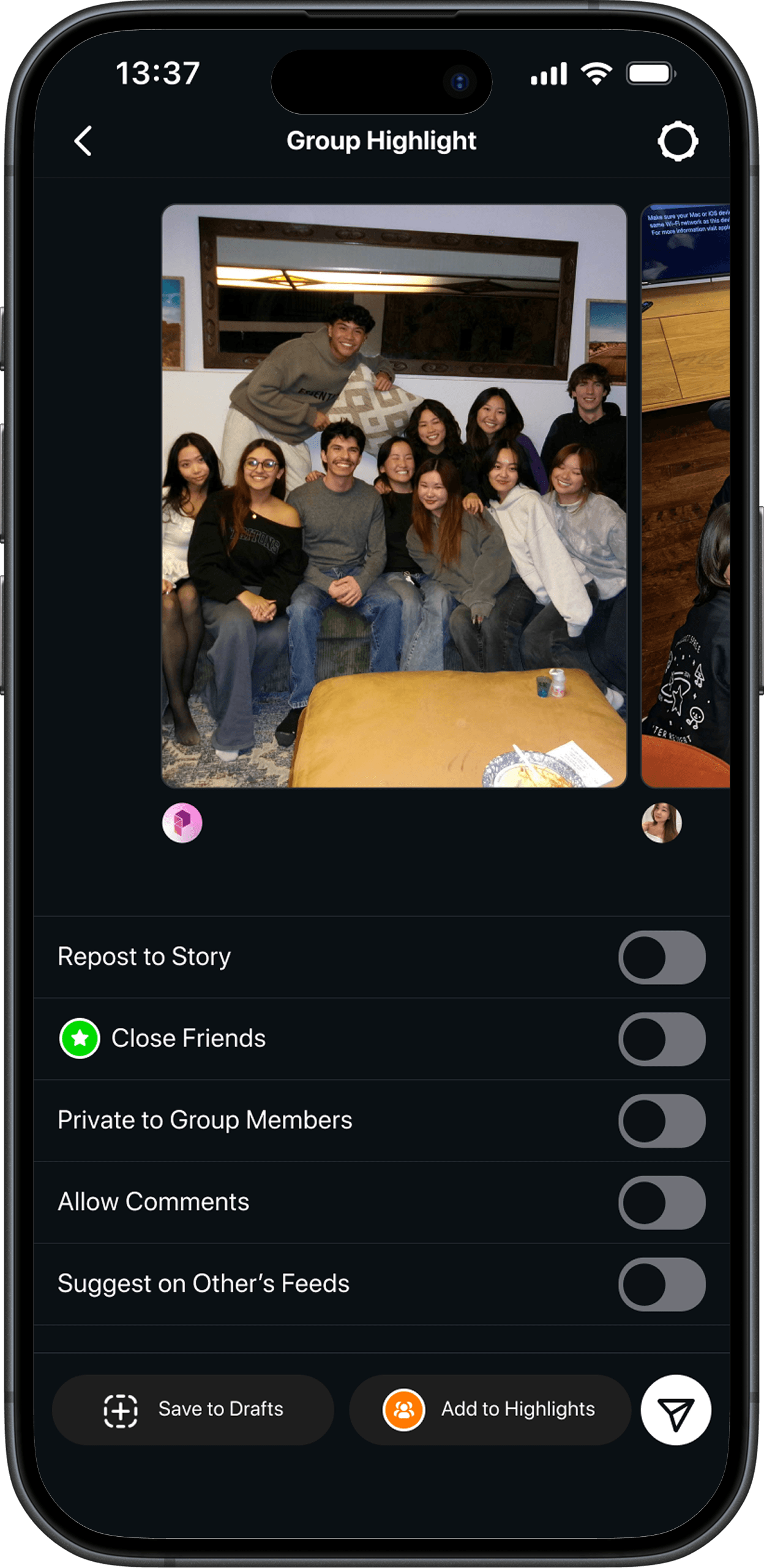
Make It Official
After completing your masterpiece, publish your work and control where it goes and how others can interact with your work.
This works as an additional bonus to give more control and freedom to the user.
Hide and Seek No More
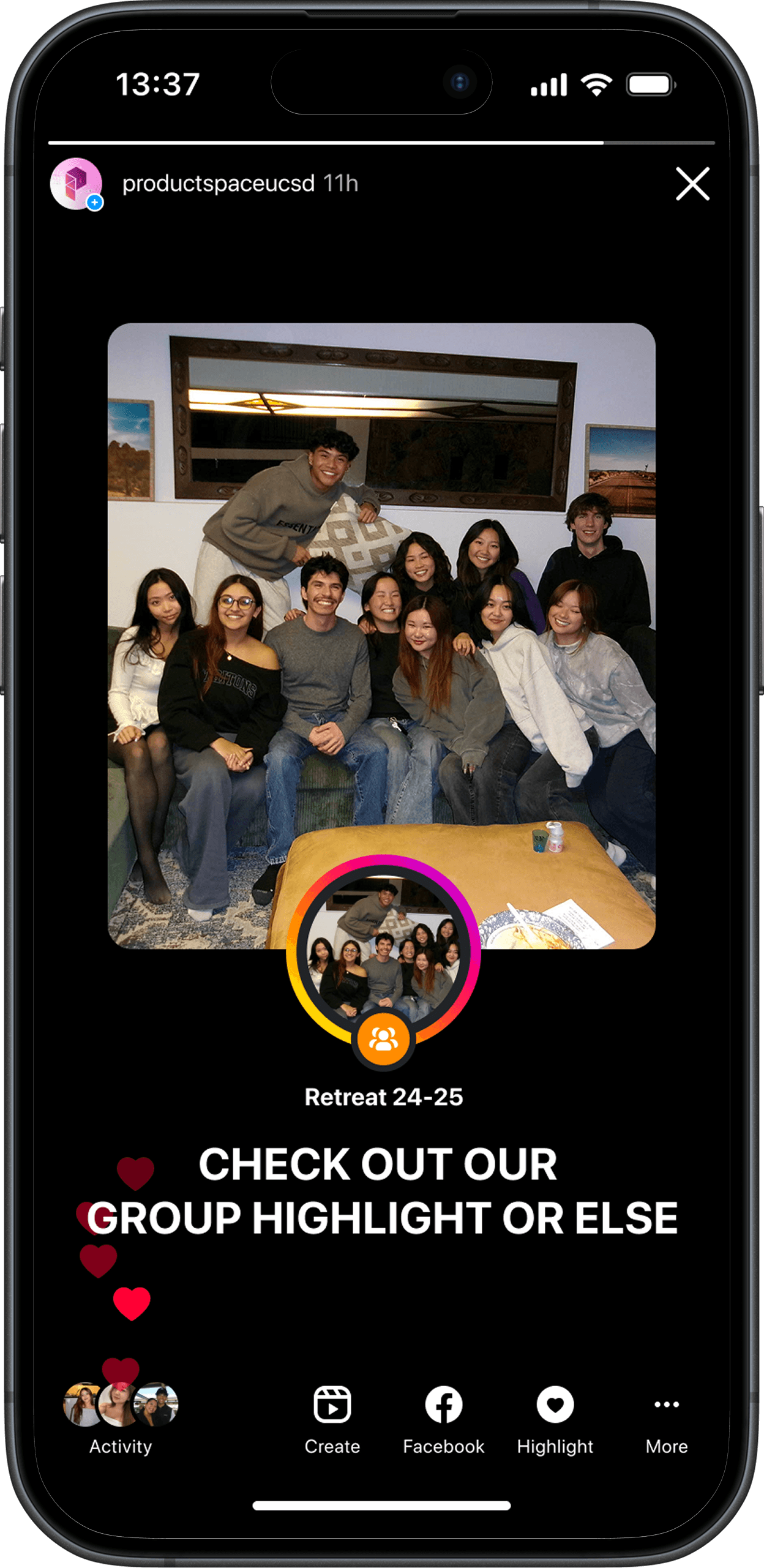
After posting your Group Highlight, there are 3 ways for your friends to discover your new creation!
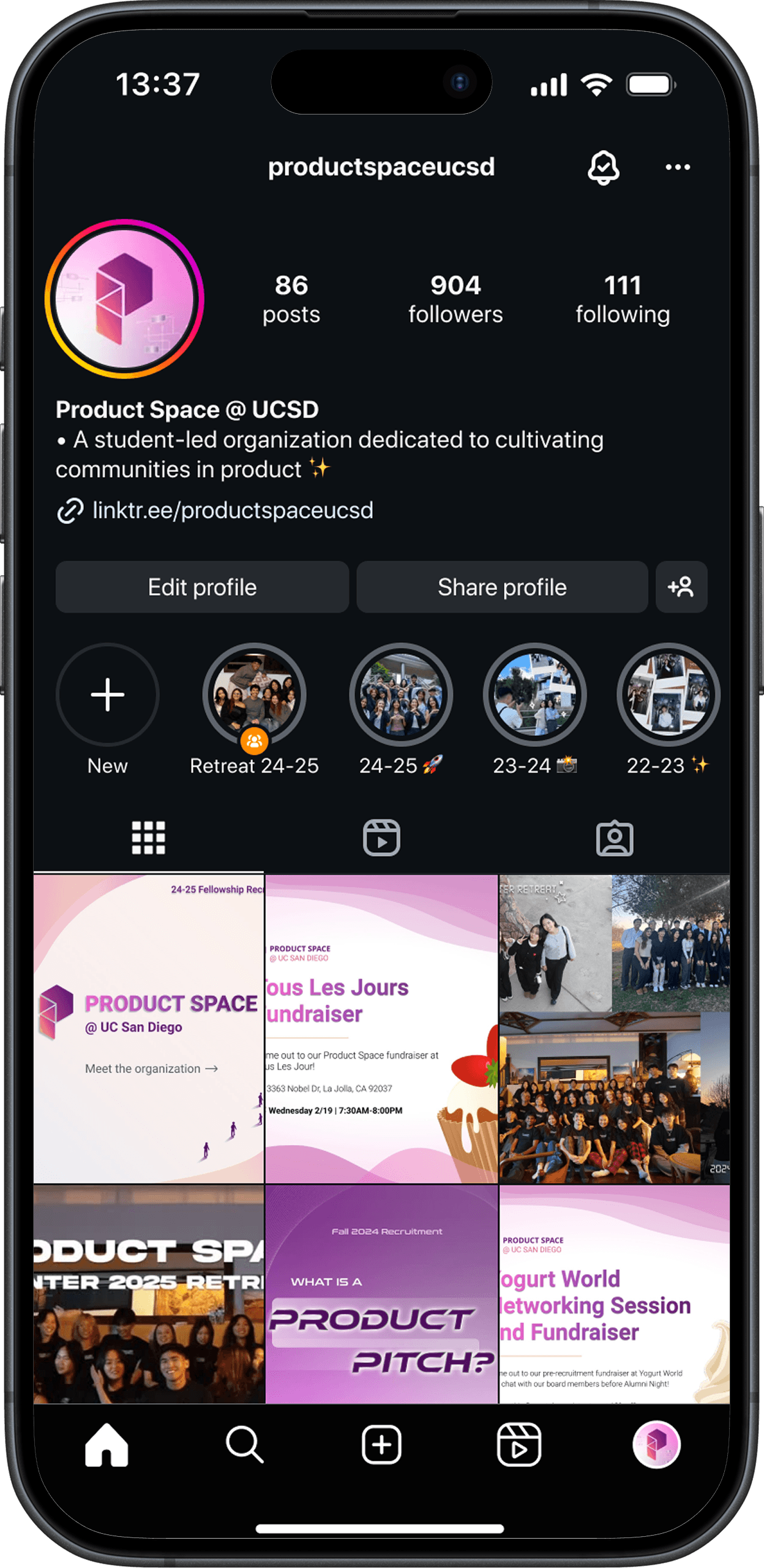
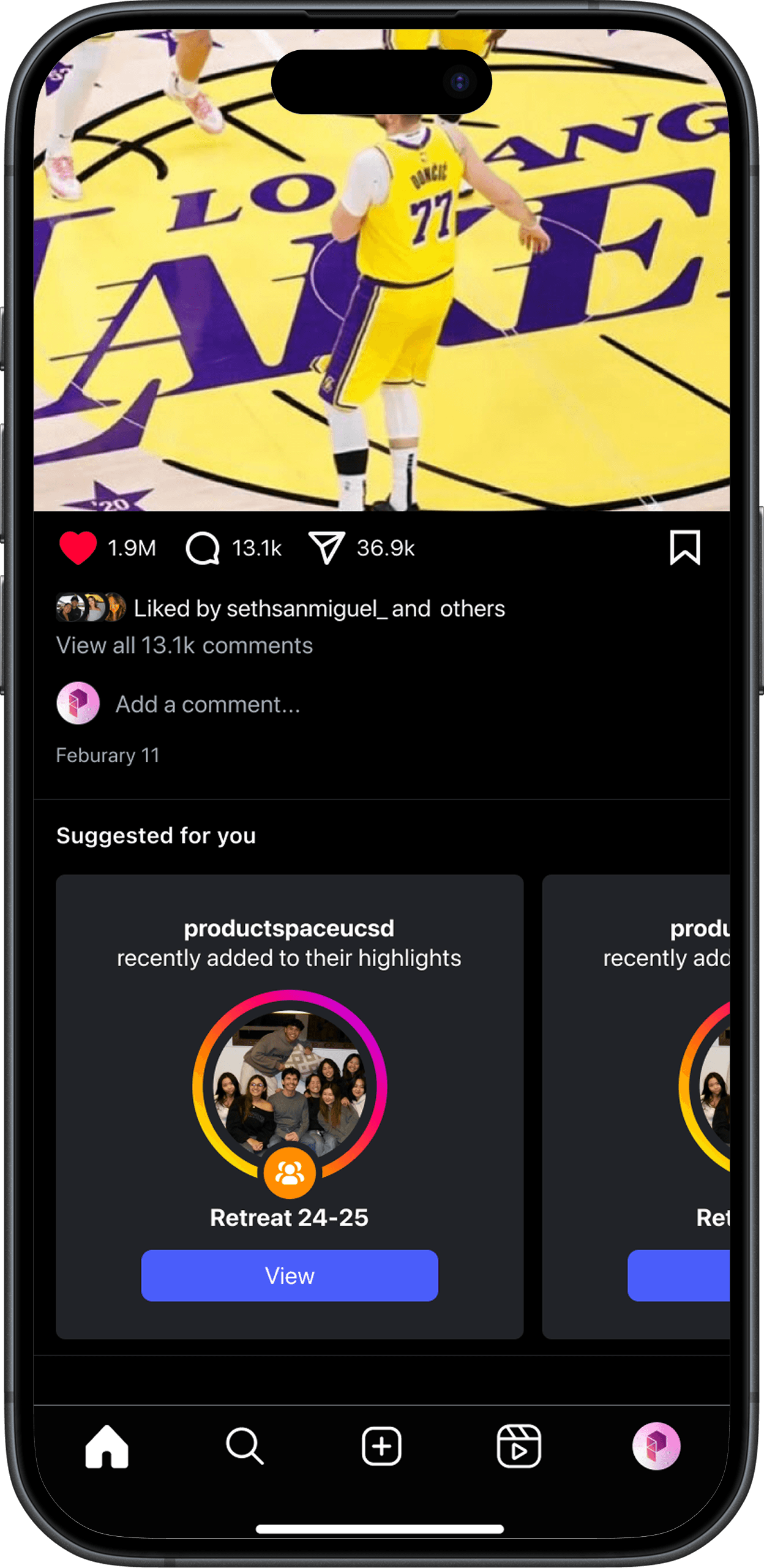
Find Group Highlights on others profile pages, indicated by the Orange Group Icon
Find Group Highlights from reposts on others' stories
Find Group Highlights as suggestions pop up while scrolling through your feed
NEXT STEPS
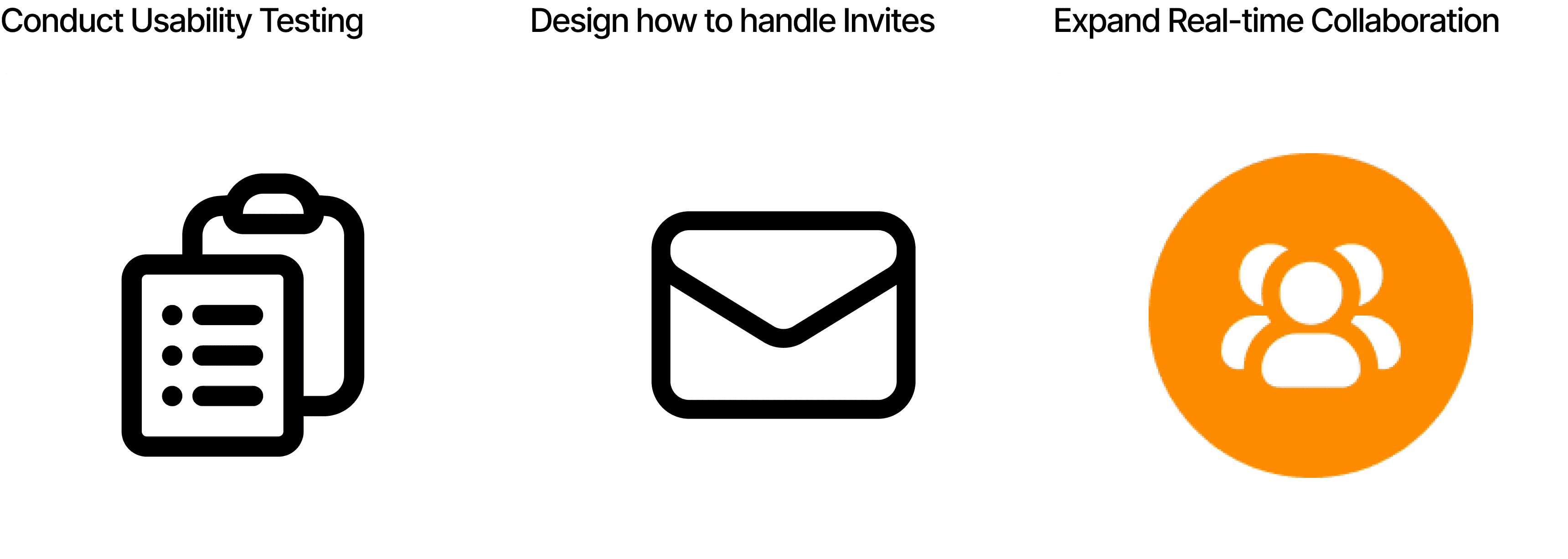
Expansion of Group Highlights
If I had more time to fully flush out Group Highlights, I would do each of the following:
COMPLETE
Check Out The Demo
Watch the fully interactive prototype of Group Highlights in action.
REFLECTION
Highlights and Lowlights
Conversely, this project has taught me a lot about staying organized, whether that's keeping my Figma workspace clean, using components to save time, and just managing my time more effectively.
I would like to shout out my mentors and peers at Product Space that guided me through this process. I'm super proud of the finished product, and couldn't have done it without them!
© 2026